Essential
- Vessel
- Current location
- ETA / ETD
- Machinery affected
- Fault description
PANAMA · MARINE PLC / HMI · ONBOARD CONTROL SYSTEMS
PLC in STOP? HMI failed? Replacement controller onboard but no usable project? Send the PLC/HMI model, fault state, available backup information and vessel schedule. TESS can review what can realistically be diagnosed, restored, transferred or prepared before onboard attendance.
Panama-based onboard support · PLC/HMI/I/O/network diagnosis · OEM coordination where required
Pre-arrival information helps a Panama-based marine controls troubleshooting and lifecycle engineering team prepare the correct interfaces, software access, spares and scope. Technical pre-assessment leads to an agreed, paid onboard attendance; availability and the achievable work depend on the confirmed case and vessel window.
Send what you have. Missing optional technical details should not delay the initial request. Do not reset or clear a controller merely to prepare information for us.
A PLC may be in RUN while the machinery is still unavailable. The CPU is only one part of the failure chain: a missing permissive, failed field signal or downstream actuator can prevent operation even when the program is executing.
Start with the as-found state and the circumstances of the failure. Diagnostics are reviewed only where legitimately accessible and suitable for the installed controller.
The identified fault determines whether hardware repair, replacement or workshop evaluation is appropriate. Component-level CPU or PCB repair is not a universal service outcome.
A running PLC does not automatically mean the original editable engineering project can be recovered. Upload capability does not automatically equal recovery of the original editable engineering project.
Check the project version, completeness, hardware configuration, required software and licensing. Verify that the file actually corresponds to the installed machine before considering a download or transfer.
Assess authorized upload and backup capabilities for the exact CPU and environment. An upload may contain executable information without the original comments, symbols, source blocks or complete engineering structure.
Review memory media, owner records, OEM and integrator archives, and any related HMI documentation. If no usable program can be obtained, restoration may require re-engineering or migration.
Access depends on legitimate authorization, controller protection level and available credentials. TESS does not bypass password or OEM access controls.
Preserve the available controller, memory and files. Confirm the usable engineering basis before committing to a replacement or restoration plan.
A spare CPU is hardware. It does not automatically contain the machine control system. The original installation, available project and replacement must be assessed together before a transfer can be proposed.
Yes: preserve it and assess authorized access. No: identify usable files, memory media and OEM records.
Yes: verify the version and completeness. No: assess legitimate upload feasibility or OEM support; do not assume editable source recovery.
Yes: plan a suitable transfer and controlled tests. No or unknown: assess engineering changes or a platform migration.
Usable project, suitable access and compatible hardware; confirm configuration and test the affected function.
Proprietary files, software, credentials or commissioning authority are needed from the authorized source.
Reconstruct the agreed control function from sufficient documentation and machinery knowledge, under appropriate engineering authority.
Prepare a supported replacement platform with I/O, communications, HMI and testing engineered together.
If the old controller still runs or communicates, preserve and assess it before unnecessary reset, memory clear, download, replacement or destructive intervention.
When the agreed replacement includes equipment sourcing, installation and system handover: Turnkey System Installation →
Trace the input and output paths separately, including remote I/O power, node status and communications. TESS may establish that the PLC output is healthy while the actual defect is in the field wiring, interface or machinery.
Testing must respect the vessel’s operating authority and machinery safety architecture. Any force or simulation requires controlled, authorized and technically safe conditions; it is not a substitute for diagnosis.
A display fault and a missing PLC connection can look similar to the operator. Separate the panel hardware from its runtime, project and communication dependencies.
Check the exact panel family, revision, firmware, interfaces and available runtime. A similar screen size or part description does not establish compatibility.
Confirm that a usable project or supported backup exists, that transfer is authorized, and that the required software and drivers are available. Runtime transfer may not provide an editable project.
An obsolete or incompatible panel may require HMI conversion, tag and alarm mapping, communication changes and functional testing. An old HMI cannot always simply be copied to a new one.
Work through the physical and configuration layers before changing network parameters. The installed topology, affected nodes and recent changes guide the diagnostic scope.
Relevant installed networks and interfaces may include PROFIBUS DP, PROFINET, Modbus RTU, Modbus TCP, CAN, CANopen, Industrial Ethernet, MPI, PPI, RS232 and RS485. Assessment depends on the installed equipment, suitable interfaces and authorized access.
TESS can assess service requests involving Siemens SIMATIC PLC/HMI platforms, including legacy and current systems such as S7-200, S7-300, S7-400, S7-1200 and S7-1500, subject to the exact installed hardware, software/licensing requirements, project availability, controller protection and scope.
Depending on the installation, preparation may involve STEP 7, TIA Portal, WinCC, Micro/WIN, legacy programming interfaces, PROFIBUS or PROFINET.
Other requests may involve Schneider / Modicon, ABB, Mitsubishi, Omron, Allen-Bradley, Beckhoff, WAGO, B&R or proprietary marine controllers. Send the exact maker and part number for assessment.
Platform names identify installed systems that may be assessed; they do not imply OEM authorization or that every software version, licence or interface is locally available.
Maintain and support the installed system with a known project, suitable tools and a realistic spare strategy.
Secure backups, documentation, spares and a lifecycle plan while the controller still operates.
Prepare migration when the installed platform and engineering basis cannot be reliably supported.
After an urgent fault is addressed, or during a planned visit, secure the configuration that future attendance will depend on. Scope is agreed only where technically and legally possible; the register records access limitations and replacement risks as well as the files obtained.
If a single PLC/HMI platform cannot be responsibly restored, plan the replacement control architecture before the onboard window. The scope must define what is retained, converted and tested, including the machinery’s safety requirements.
Planning a broader control-system modernization? Retrofit & Modernization →
When the work expands beyond one PLC/HMI control platform into a wider vessel programme: Refit & Modernization →
The machinery application establishes the operating sequence and testing conditions. This service focuses on the confirmed control-system layer within equipment such as:
These are planning ranges, not completion guarantees. Access, equipment condition, prepared software/interfaces, parts, vessel operations and OEM availability determine the achievable work.
A legacy PLC migration should normally be engineered before the vessel’s attendance window—not designed from zero during a six-hour port call.
Combine the original supplier’s proprietary engineering knowledge with a physical presence in Panama. Confirm roles, permitted actions and communication arrangements before attendance.
These are outcome categories, not promises. The report identifies the position reached and the dependencies for the next step.
Fault corrected and affected function tested.
Usable backup/configuration captured and handed over where technically possible.
Cause or dependency identified but further hardware, OEM/project or engineering work is required.
Existing platform cannot responsibly be restored through normal replacement/configuration work.
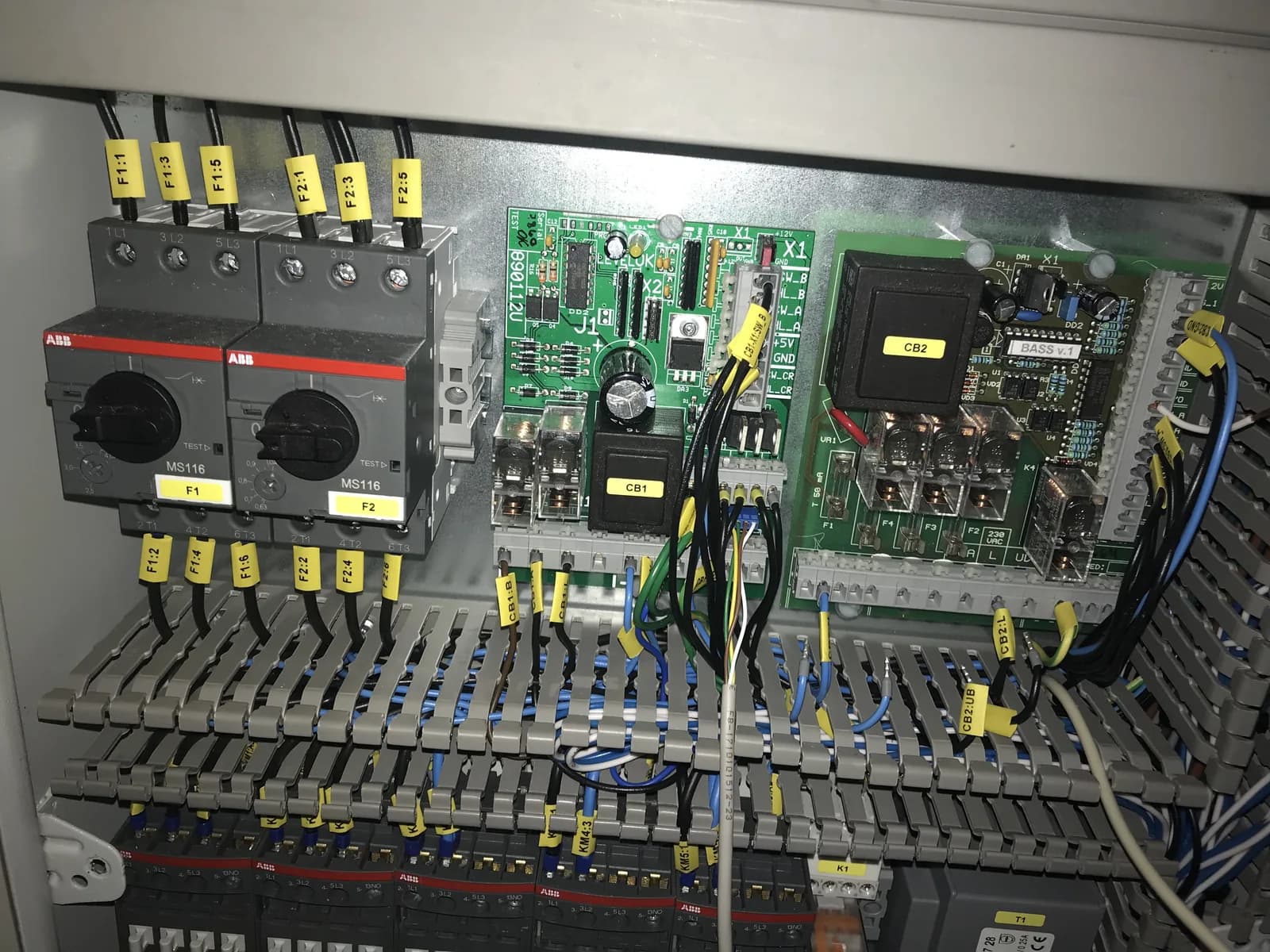
The published marine automation case documents bridge-console fabrication, control-cabinet assembly and wiring, and integration of propulsion, power, monitoring and alarm systems. This historic experience was delivered under the leadership of TESS’s lead engineer; it is not presented as a claim that every project was executed directly by TESS.
Marine Automation & Integrated Vessel Systems →An attendance record may include:
Capture the as-found condition; preserve a backup before download where practical; avoid unnecessary logic changes; obtain authorization; test the affected machinery and document material changes. Do not bypass safety interlocks merely to restore operation. Safety-critical logic requires appropriate engineering authority.
Start with your contact details, vessel window, affected equipment and fault. Add optional controller information if available. TESS will review the case before confirming the scope and paid attendance.
Send maker + model + fault + photos + backup status + ETA. Start with technical pre-assessment, agree specialist attendance, then establish the restoration, backup, spares or migration path.
Sometimes an authorized upload or backup is possible, depending on the CPU, memory, protection and engineering tools. A running PLC and upload capability do not guarantee recovery of the original editable project, source, symbols or comments. We assess the exact installation first.
Preserve the controller and memory media. We review available records, OEM or integrator archives and related system information. If no usable control program can be obtained, the next step may be re-engineering or migration; a spare CPU alone is not a restoration plan.
A suitable transfer or configuration may be possible with a usable project, compatible hardware, required tools and authorized access. Testing conditions and the vessel window must be agreed. Developing unknown machine logic from zero is a separate engineering scope.
Compare part numbers, revision, firmware, memory, I/O, communication modules and HMI dependencies. A different model may require project conversion, architecture changes and structured tests, or a planned platform migration.
TESS can assess these SIMATIC requests, as well as S7-400 and S7-1500 cases. Support depends on the exact hardware, software/licensing, interfaces, available project, protection and scope. This does not imply Siemens authorization or universal software availability.
We assess same-platform replacement, supported project transfer or engineering migration. The existing project, tags, alarms, PLC driver, interfaces and panel compatibility determine the route; any old panel cannot simply be copied to any new panel.
It depends on the panel, transfer settings, protection, software and what was stored onboard. A runtime backup may not contain the editable engineering project. Retrieval is never assumed, and TESS does not bypass passwords or OEM controls.
Within the confirmed installation and access scope, we assess supply, device state, cabling, interfaces, addressing, protocol, configuration and project dependencies. The cause may be outside either controller.
We can assess requests involving these installed networks, subject to equipment, interfaces, topology information and authorization. Diagnosis starts with physical conditions and device state before configuration or project changes are considered.
Yes, within an agreed scope. The OEM can provide proprietary engineering guidance while TESS performs physical checks and authorized work onboard. The vessel retains operating control, safety management and access approval.
Where technically and legally possible, an agreed backup and obsolescence check can capture usable files and configuration, versions, hardware references and access limitations. Editable source recovery is not guaranteed, and backup usability and replacement risk must be recorded.
We assess owner records, remaining equipment, drawings, source files and the machinery’s operating sequence. The findings determine whether continued support is realistic or whether documented re-engineering and migration are required.
A separately agreed engineering scope may reconstruct documented control functions with legitimate owner authorization, adequate machinery information, appropriate safety authority and controlled testing. This does not include bypassing access controls, and feasibility or completion cannot be assumed before assessment.
Identification, prepared connection, initial diagnostics and selected corrective work may fit a short call. Deeper I/O work, compatible transfers or HMI replacement need preparation and sufficient testing time. A legacy migration should normally be engineered before the attendance window.